Explanation of the Marketplace / Bulletin Board
Below you will find a brief explanation of the Eyevestor marketplace and how to place buy and sell orders.
1. When is the marketplace open?
A Venture opens the marketplace once there is no longer a “locked until” date on the shares and when a funding round has been closed.
From that moment on, the Sell – Buy – Direct Sale buttons become active in your account.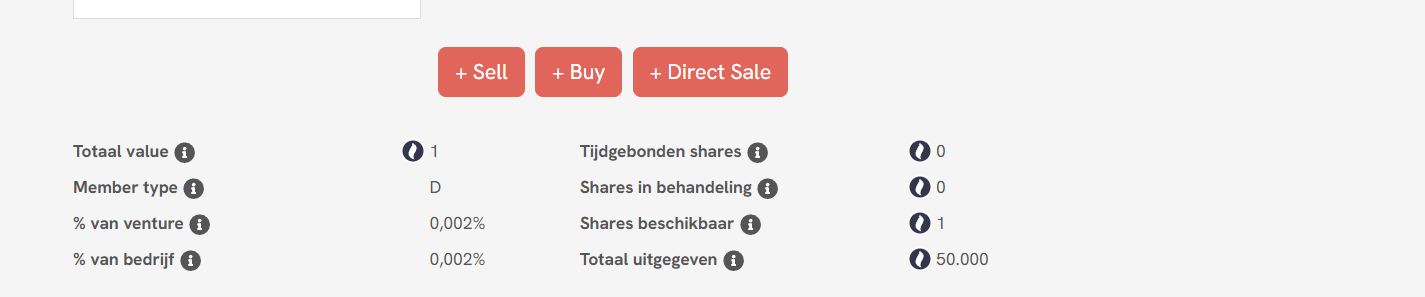
2. Placing orders
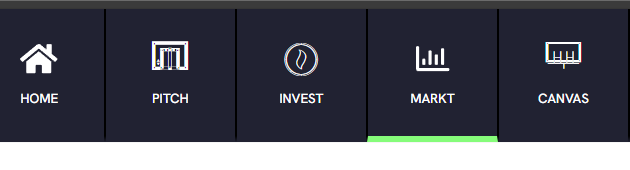
You can place a buy or sell order via your account or via the Marketplace tab.
A. Your account (Sell / Buy)
Sell: offer shares for sale or place a sell order
Buy: submit a request to buy shares or place a buy order
B. The Marketplace
Via the Dashboard
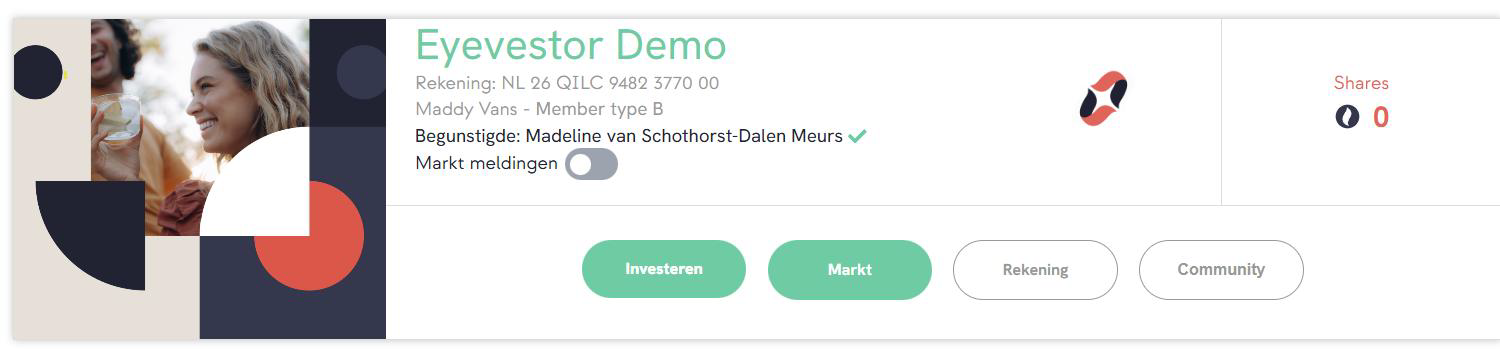
Via the Marketplace tab
3. Placing a sell order
Click Sell or Place sell order
Enter the number of shares and the price per share
Confirm using your TAN code
The order will receive the status pending / in progress.
4. Notifications for interested users
Users who have enabled marketplace notifications will automatically receive a notification when new sell orders are placed.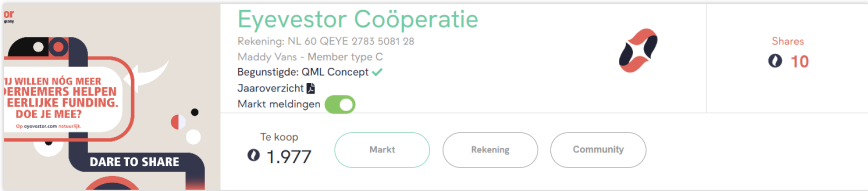
5. Contact outside the platform
If there is interest, and after mutual agreement, contact details are exchanged.
This is a legal requirement: the actual purchase must be completed outside the platform.
6. Cancelling a sell order and Direct Sale
After agreement between buyer and seller:
Cancel your sell order via the red Action button
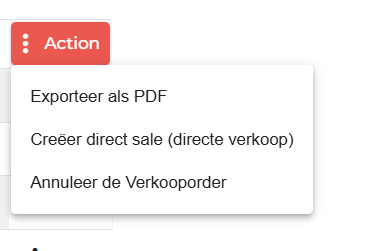
Direct Sale will then become active
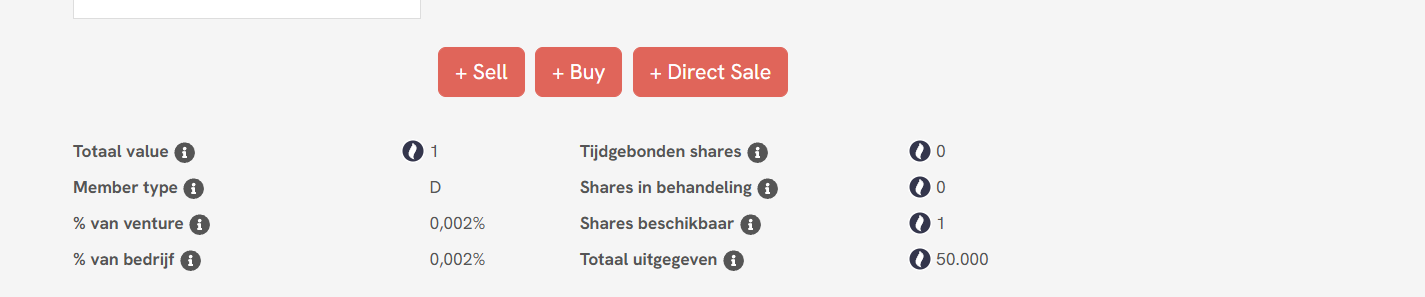
Complete the direct sale using the buyer’s bank account number
The buyer receives a purchase request and payment request
7. Verification for payout
To receive funds:
Verify your bank account number
For amounts above €250: also upload your ID
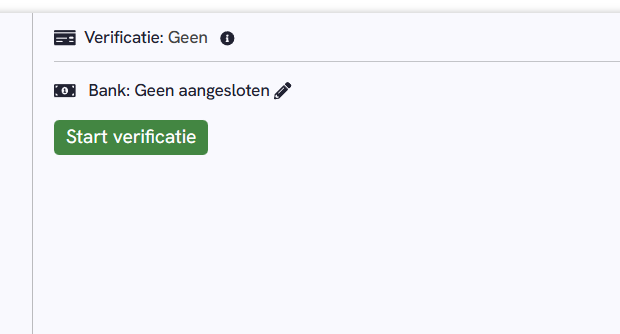
You can do this while logged in via Beneficiary → Start verification.
Thank you for your investment on behalf of the Ventures!
Good luck with your sale.
Was dit artikel nuttig?
Dat is fantastisch!
Hartelijk dank voor uw beoordeling
Sorry dat we u niet konden helpen
Hartelijk dank voor uw beoordeling
Feedback verzonden
We stellen uw moeite op prijs en zullen proberen het artikel te verbeteren